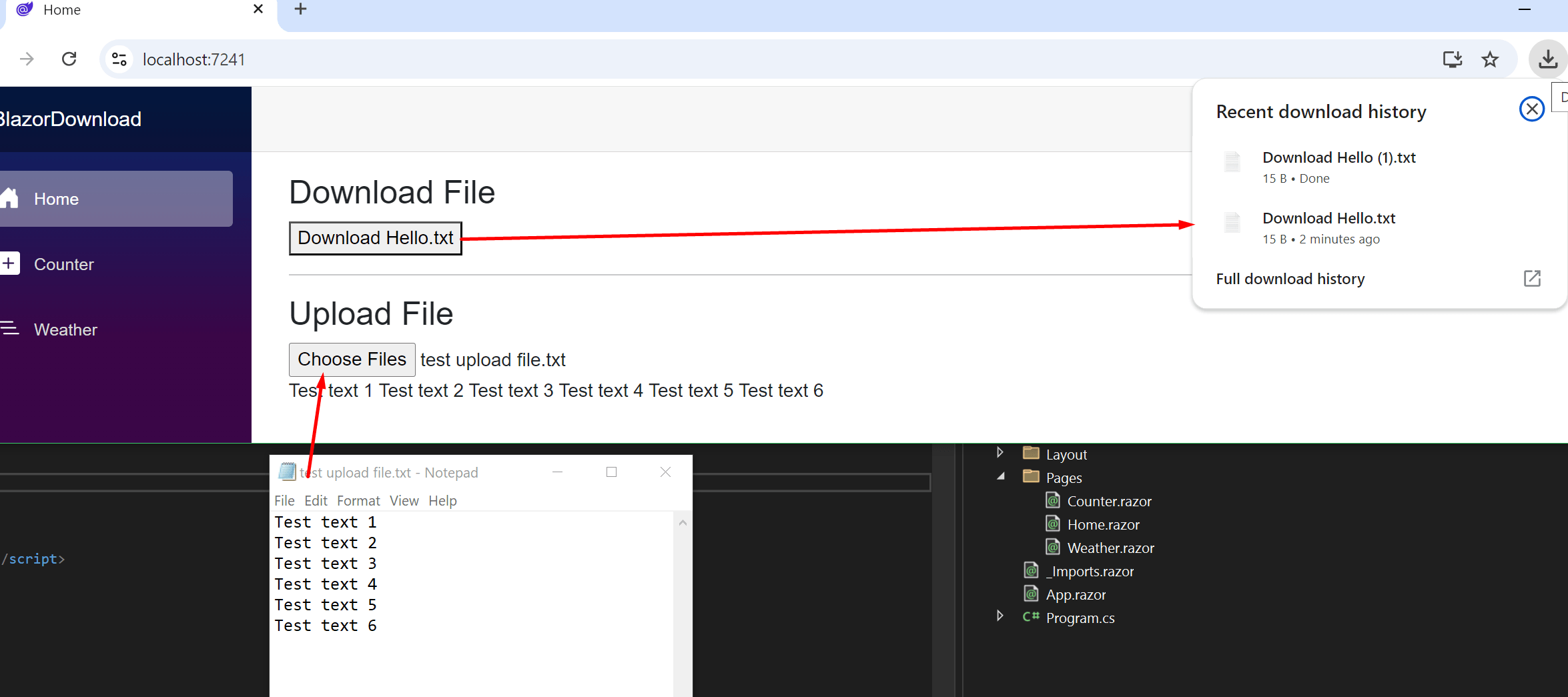
In this post, I’ll show you how to upload and programmatically trigger a file download for the user in a Blazor Web Assembly application.
Javascript InterOp Code
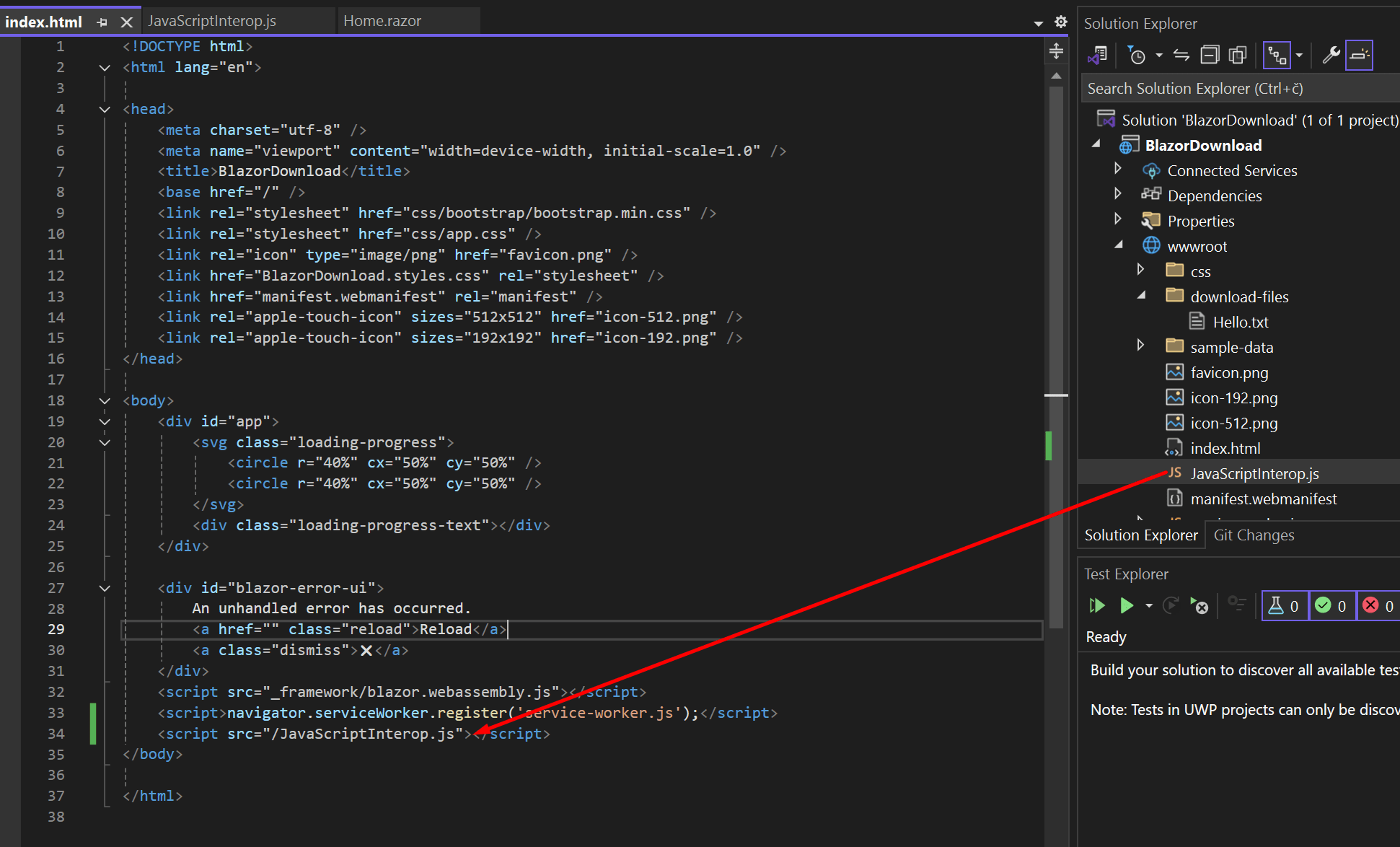
Create a JavaScriptInterop.js file and place it into the wwwroot directory(or subdirectory).
Add the following JS code to the file.
function DownloadFile(filename, contentType, content) {
    //Create the URL.
    const file = new File([content], filename, { type: contentType });
    const exportUrl = URL.createObjectURL(file);

    //Creates <a> element and clicks on it programmatically.
    const a = document.createElement("a");
    document.body.appendChild(a);
    a.href = exportUrl;
    a.download = filename;
    a.target = "_self";
    a.click();

    //Remove URL object after clicking on it.
    URL.revokeObjectURL(exportUrl);
}
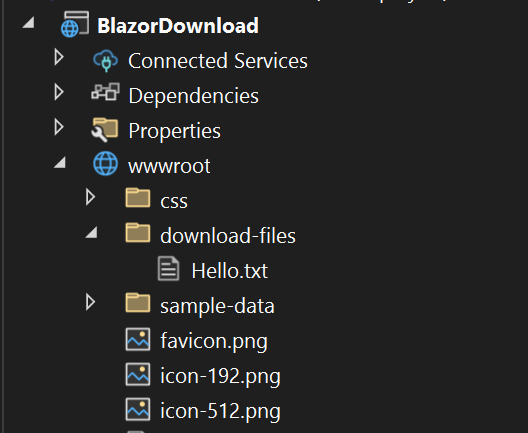
Add any files you want to download into the wwwroot directory(or subdirectory).
Blazor Layout and C# Code
Here is the HTML and C# code placed into the Home.razor file.
@page "/"

@inject IJSRuntime JSRuntime
@inject HttpClient injectedClient
@inject NavigationManager NavigationManager

@using System.IO;
@using System.Net.Http;
@using System.Text;


<PageTitle>Home</PageTitle>

<div>
    <h3>Download File</h3>
    <button @onclick="downloadFile">Download Hello.txt</button>

    <hr>

    <h3>Upload File</h3>
    <InputFile OnChange="onFileChanged" multiple></InputFile>
</div>

<div>
    @fileContentsString
    @errorMessage
</div>


@code {
    private string fileContentsString = "";
    private string errorMessage = "";

    async Task downloadFile()
    {
        //This is how you can access a file from your wwwroot folder.
        byte[] downloadFile = await injectedClient.GetByteArrayAsync(NavigationManager.Uri + "download-files/Hello.txt");

        //For file types other than "text/plain" see; https://developer.mozilla.org/en-US/docs/Web/HTTP/Basics_of_HTTP/MIME_types/Common_types
        //    JSRuntime.InvokeVoidAsync("function name", "downloaded file name", "file type", "the file itself")
        await JSRuntime.InvokeVoidAsync("DownloadFile", "Download Hello.txt", "text/plain", downloadFile);
    }

    async Task onFileChanged(InputFileChangeEventArgs e)
    {
        try
        {
            using (var ms = new MemoryStream())
            {
                foreach (var file in e.GetMultipleFiles(e.FileCount)) //Foreach file in the selected files
                {
                    //Only one file is supported. If multiple files present the last file overwrites the previous one.
                    await file.OpenReadStream().CopyToAsync(ms);

                    //Get byte array from stream then convert it into as string.
                    fileContentsString += Encoding.UTF8.GetString(ms.ToArray());
                }
            }
        }
        catch (Exception ex)
        {
            errorMessage = ex.Message;
            StateHasChanged();
            //_ = InvokeAsync(StateHasChanged);
        }
    }
}