About
Considerations
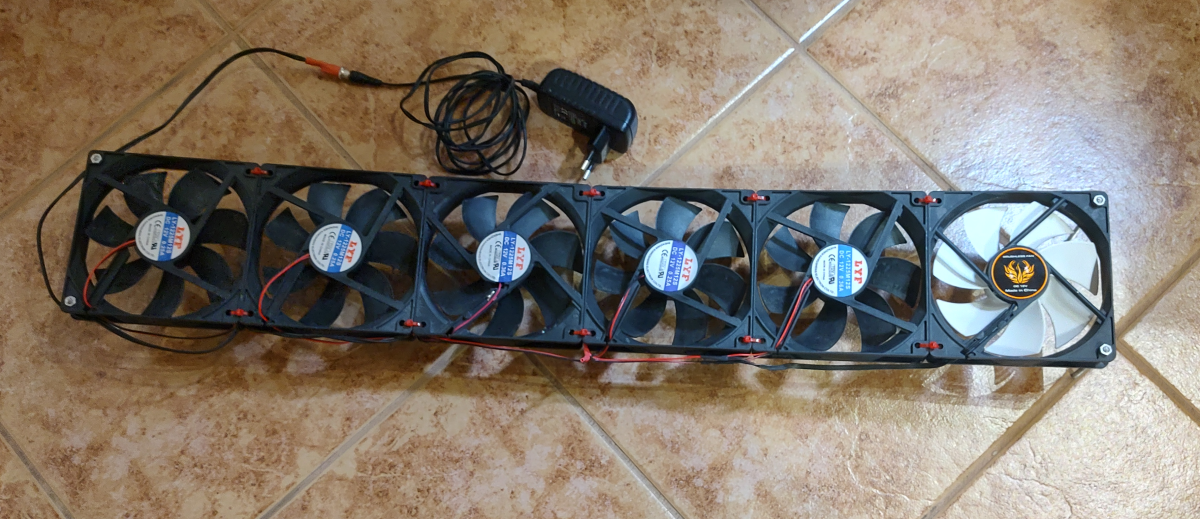
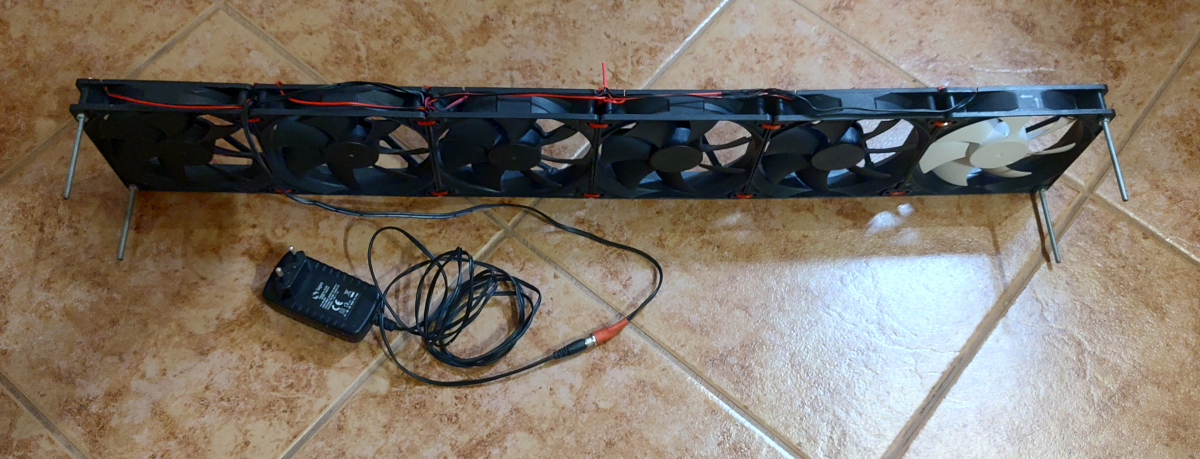
The first issue is that the water will end up pooling at the bottom of the radiators, so they won’t be as efficient at cooling as they are at heating, but it will still work to some degree. To help with cooling, I made fans that can be placed under the radiator to blow air through it. These can also be used the same way when heating to get more heat out.
The biggest problem, however, will be condensation on your radiators and pipes. A regular AC unit solves this by having a drip pan under the coils and insulation of the refrigerant lines. I have a lot of exposed pipes inside the house, and they help with the heat exchange in addition to the radiators, so insulating them isn’t an option.
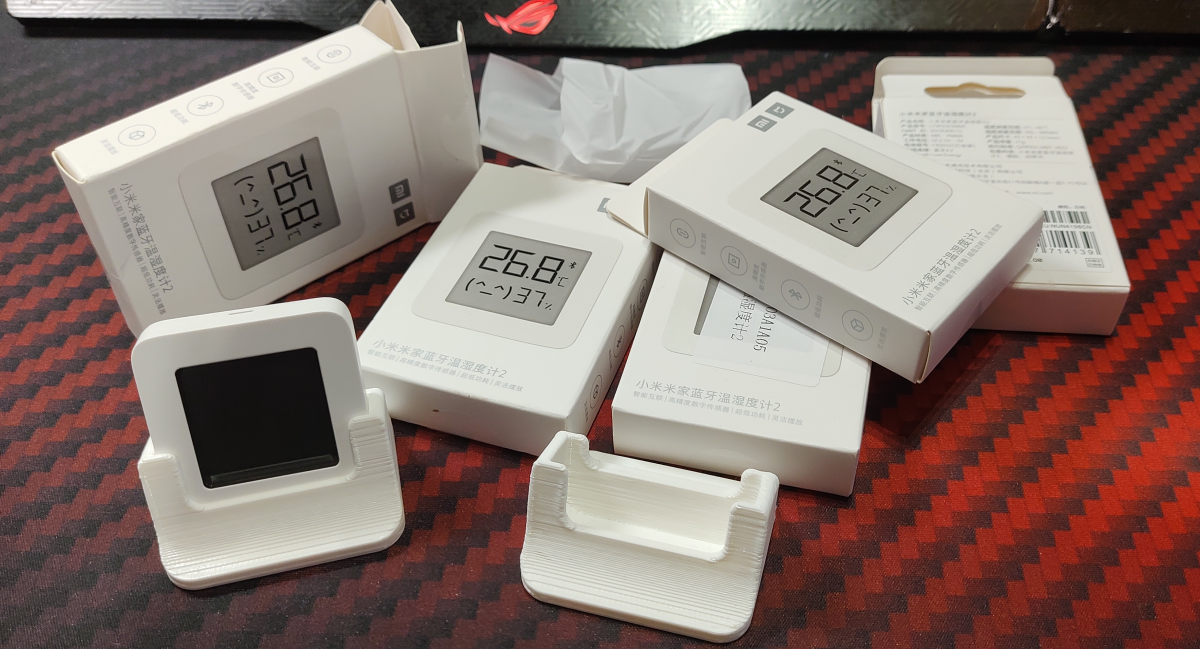
Instead, I solved the condensation issue by running the cooling temperature just above the dew point. The additional issue is that not all rooms are at the same temperature and humidity, so the dew point will vary across the house. To solve this, I put(and used existing) multiple sensors around the house, calculate the dew point for all of them, take the highest one, add like 2 degrees of buffer on top, and set that as the cooling temperature setpoint for the heat pump.
Setup
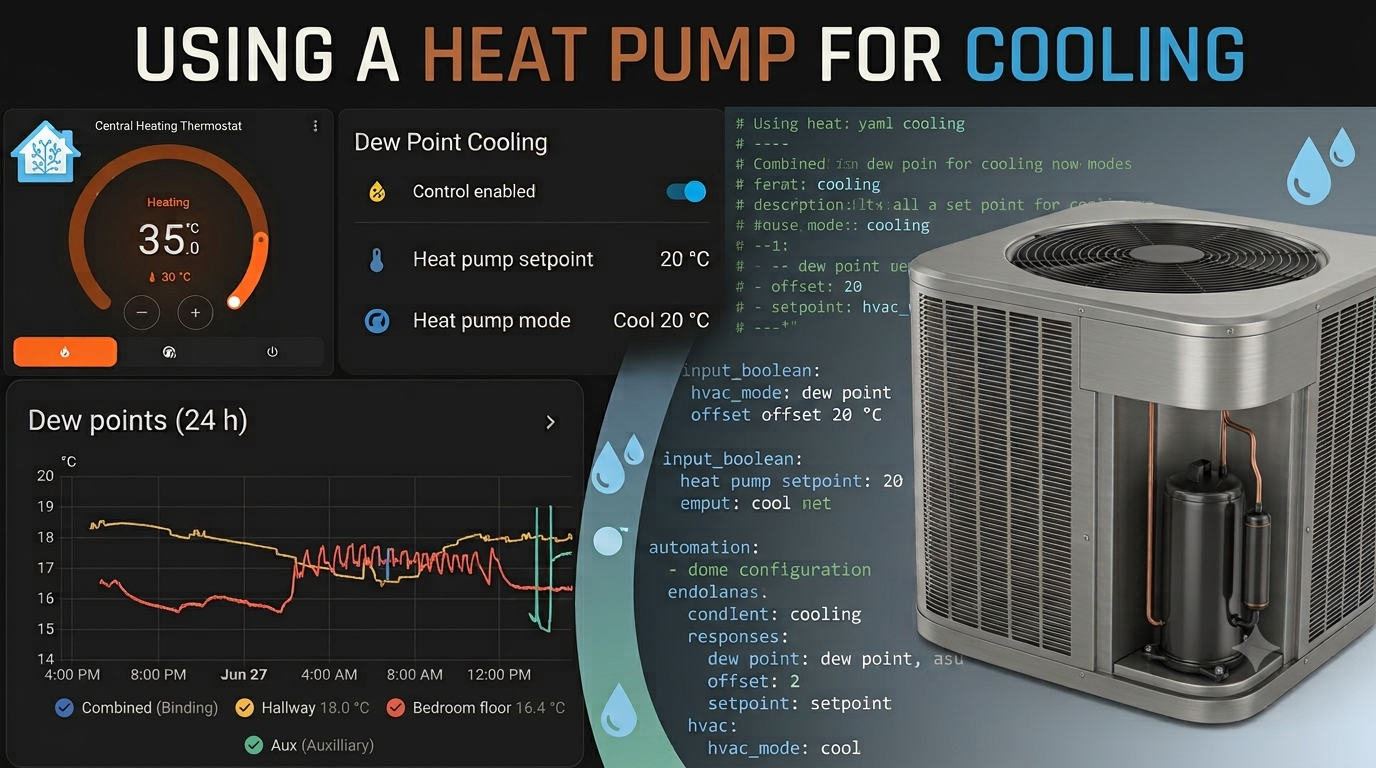
Like I wrote in my home automation post here, the heatpump is IoT-enabled, and I have an integration for it in Home Assistant. Meanwhile, I flashed the thermostat used to turn on the water circulation with custom firmware so that it can be connected to Home Assistant(also described in the aforementioned post). Then I made an automation in HA that runs according to the logic described above.
I will put the YAML configs below in case you are interested in the overall logic, but if you intend to use them, you obviously need to change the IDs for your sensors and the controls for your specific thermostats/heat pumps if they differ.
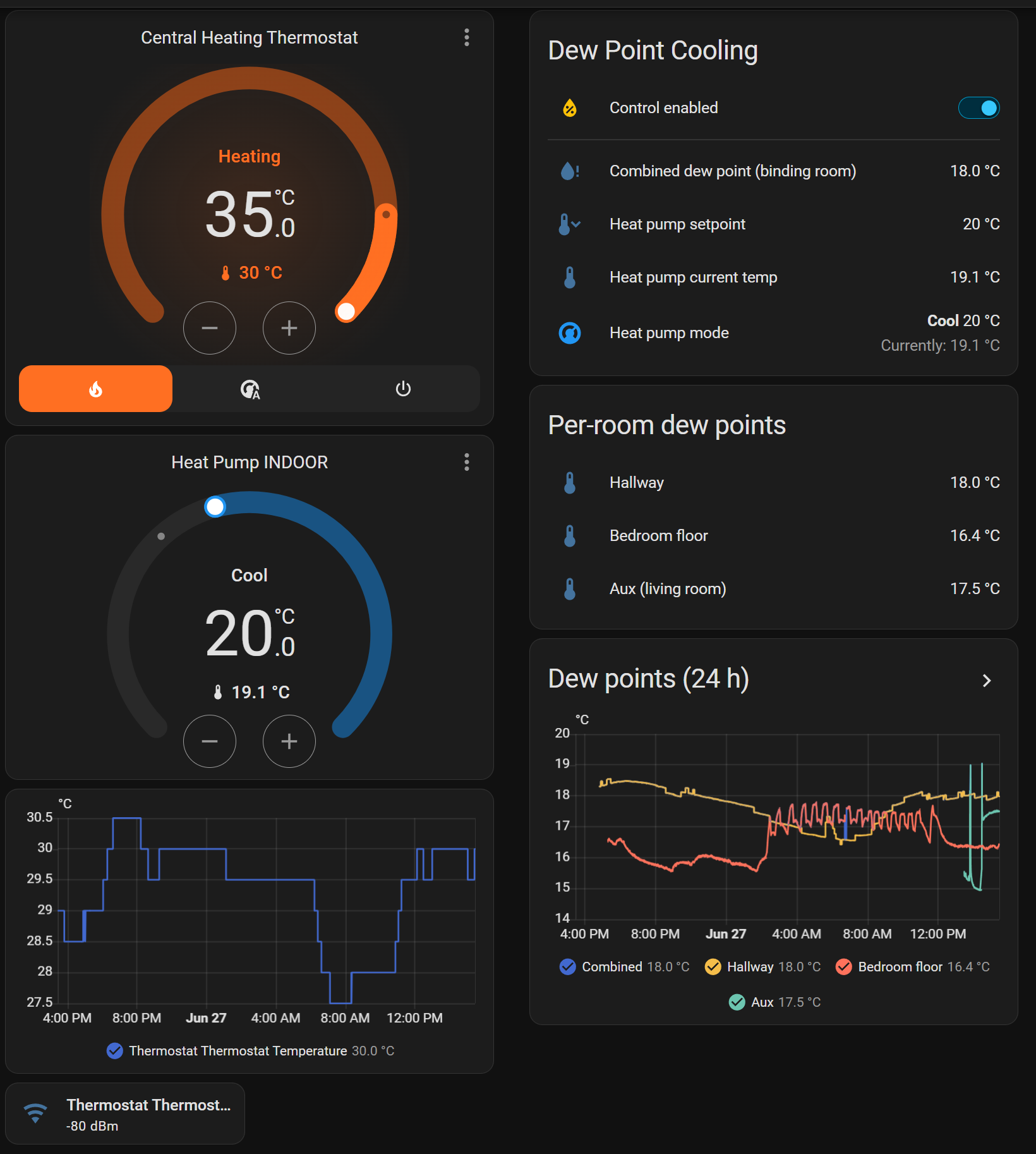
# ============================================================================
# Dew Point Heat Pump Control — Home Assistant Package
# ============================================================================
# Sets the Samsung heat pump (climate.heat_pump_indoor) to COOL mode with a
# safe setpoint = worst-case room dew point + 2 C, then lets the heat pump
# regulate ITSELF to that setpoint. Staying at/above (highest dew point + 2 C)
# keeps every room clear of its condensation threshold; the +2 C is the safety
# buffer. The heat pump's own floor is 16 C, so the setpoint is clamped to
# 16-25 C and won't go below 16 C even if dew point + 2 is lower.
#
# ON/OFF: the heat pump is turned ON (cool) ONLY when the control toggle is
# enabled, and OFF ONLY when it is disabled. In between it stays on and cycles
# its own compressor — this automation never switches it on/off based on
# temperature; it only keeps the setpoint up to date as the dew point drifts.
#
# SETPOINT WRITES are guarded (see `deadband` below): the target is only
# pushed to the unit when it actually needs to change. Re-sending an identical
# setpoint every 30 min can make some units re-run compressor start protection,
# which looks exactly like short-cycling. The guard is asymmetric on purpose:
#   - RAISE immediately (a rising dew point is a safety issue, track it now)
#   - LOWER only once the setpoint is more than `deadband` too high, so a dew
#     point wobbling across a 0.5 C rounding boundary doesn't nudge the unit.
#
# The circulation-pump thermostat (climate.thermostat_thermostat) is forced
# to HEAT @ 35 C while control is enabled, so it always calls for heat and
# the pump keeps circulating. It is switched OFF when control is disabled.
#
# ---------------------------------------------------------------------------
# INSTALL (this whole file lives under packages/):
#   File path:  /homeassistant/packages/dewpoint_heatpump.yaml
#   configuration.yaml must contain:
#       homeassistant:
#         packages: !include_dir_named packages
#   Then: Developer Tools -> YAML -> Reload (Template + Automations), or Restart.
#
# ALL ENTITIES NOW WIRED: hallway (Airthings), bedroom floor (ATC 7056),
# aux (living room aux sensor), and climate.heat_pump_indoor. Add more rooms
# by copying a per-room block and adding it to the "Combined" list.
# ============================================================================


# --- Master on/off switch for the whole behaviour --------------------------
input_boolean:
  dewpoint_control:
    name: Dew Point Control
    icon: mdi:water-percent


# --- Safety buffer above the worst-case dew point (adjustable slider) -------
# Setpoint = worst-case dew point + this buffer. Bigger = safer (further from
# condensation) but warmer. Rendered as a slider on the dashboard.
input_number:
  dewpoint_buffer:
    name: Dew Point Buffer
    icon: mdi:thermometer-plus
    min: 0
    max: 5
    step: 0.5
    initial: 2
    unit_of_measurement: "°C"
    mode: slider


template:
  - sensor:

      # --- Per-room dew point (Magnus formula) ---------------------------
      # To add a room: copy one block below, change the name + the two
      # entity IDs, then add sensor._dew_point to "Combined" below.

      # --- Bedroom floor: wired to the real ATC 7056 sensor --------------
      - name: "Bedroom Floor Dew Point"
        unique_id: bedroom_floor_dew_point
        unit_of_measurement: "°C"
        device_class: temperature
        state_class: measurement
        availability: >-
          {{ has_value('sensor.atc_7056_temperature')
             and has_value('sensor.atc_7056_humidity') }}
        state: >-
          {% set T  = states('sensor.atc_7056_temperature') | float %}
          {% set RH = states('sensor.atc_7056_humidity') | float %}
          {% set g  = log(RH / 100) + (17.62 * T) / (243.12 + T) %}
          {{ ((243.12 * g) / (17.62 - g)) | round(2) }}

      # --- Hallway: wired to the real Airthings Wave+ (049562) -----------
      - name: "Hallway Dew Point"
        unique_id: hallway_dew_point
        unit_of_measurement: "°C"
        device_class: temperature
        state_class: measurement
        availability: >-
          {{ has_value('sensor.airthings_wave_049562_temperature')
             and has_value('sensor.airthings_wave_049562_humidity') }}
        state: >-
          {% set T  = states('sensor.airthings_wave_049562_temperature') | float %}
          {% set RH = states('sensor.airthings_wave_049562_humidity') | float %}
          {% set g  = log(RH / 100) + (17.62 * T) / (243.12 + T) %}
          {{ ((243.12 * g) / (17.62 - g)) | round(2) }}

      # --- AUX temperature sensor (living room) --------------------------
      - name: "Aux Dew Point"
        unique_id: aux_dew_point
        unit_of_measurement: "°C"
        device_class: temperature
        state_class: measurement
        availability: >-
          {{ has_value('sensor.living_room_aux_sensor_63be_temperature')
             and has_value('sensor.living_room_aux_sensor_63be_humidity') }}
        state: >-
          {% set T  = states('sensor.living_room_aux_sensor_63be_temperature') | float %}
          {% set RH = states('sensor.living_room_aux_sensor_63be_humidity') | float %}
          {% set g  = log(RH / 100) + (17.62 * T) / (243.12 + T) %}
          {{ ((243.12 * g) / (17.62 - g)) | round(2) }}

      # --- Worst-case dew point across ALL rooms (the binding room) ------
      # This is the MAX, so it tracks the dampest room.
      - name: "Combined Dew Point"
        unique_id: combined_dew_point
        unit_of_measurement: "°C"
        device_class: temperature
        state_class: measurement
        state: >-
          {% set ids = [
            'sensor.hallway_dew_point',
            'sensor.bedroom_floor_dew_point',
            'sensor.aux_dew_point'
          ] %}
          {% set vals = ids | map('states')
                            | reject('in', ['unknown', 'unavailable', 'none'])
                            | map('float') | list %}
          {{ (vals | max) if vals else none }}


automation:

  # --- Main loop: keep setpoint current; run only when room needs it -------
  - alias: "Heat pump – dew point setpoint"
    id: heatpump_dewpoint_setpoint
    mode: single
    max_exceeded: silent
    triggers:
      # Re-evaluate on a fixed 30-min cadence so the setpoint isn't nudged
      # up/down on every dew-point reading. Manual actions below still apply
      # immediately (enabling control, moving the buffer slider).
      - trigger: state
        entity_id: input_boolean.dewpoint_control
        to: "on"
      - trigger: state
        entity_id: input_number.dewpoint_buffer   # re-apply when buffer changes
        not_to: ["unknown", "unavailable"]
      - trigger: time_pattern
        minutes: "/30"           # re-evaluate setpoint every 30 minutes
    conditions:
      - condition: state
        entity_id: input_boolean.dewpoint_control
        state: "on"
      - condition: template
        value_template: >-
          {{ states('sensor.combined_dew_point')
             not in ['unknown', 'unavailable', 'none'] }}
    variables:
      climate_entity: climate.heat_pump_indoor
      hvac_mode: cool             # Samsung unit cools toward the safe setpoint
      offset: >-                  # degrees C ABOVE the worst-case dew point (slider)
        {{ states('input_number.dewpoint_buffer') | float(2) }}
    actions:
      - variables:
          target_temp: >-
            {% set dew = states('sensor.combined_dew_point') | float %}
            {% set raw = dew + (offset | float(2)) %}
            {% set tmin = state_attr(climate_entity, 'min_temp') | float(16) %}
            {% set tmax = state_attr(climate_entity, 'max_temp') | float(25) %}
            {% set clamped = [[raw, tmin] | max, tmax] | min %}
            {% set stepped = (clamped * 2) | round(0) / 2 %}
            {{ stepped }}
          # What the unit is actually holding right now. -99 if the attribute
          # is missing/unavailable, which forces a write on the first run.
          current_target: >-
            {{ state_attr(climate_entity, 'temperature') | float(-99) }}
          # How far the setpoint must be TOO HIGH before we bother lowering it.
          # Must exceed the 0.5 C rounding step or the flapping comes back.
          # Raise to 1.5 if you still see it stepping around; note the setpoint
          # can then sit up to this much below dew point + buffer, so keep the
          # buffer slider comfortably above it.
          deadband: 1.0
      # Make sure it's ON in cool mode — but ONLY if it isn't already, so we
      # never cycle it. The heat pump cycles its own compressor to hold the
      # setpoint; we never turn it on/off based on temperature.
      - choose:
          - conditions:
              - condition: template
                value_template: "{{ states(climate_entity) != hvac_mode }}"
            sequence:
              - action: climate.set_hvac_mode
                target:
                  entity_id: "{{ climate_entity }}"
                data:
                  hvac_mode: "{{ hvac_mode }}"
      # Keep the setpoint current as the dew point drifts — but only push it
      # when it genuinely needs to move. Going UP is applied at once (safety);
      # coming DOWN waits for the deadband. No change -> no command sent, so
      # the unit is left completely alone between real adjustments.
      - choose:
          - conditions:
              - condition: template
                value_template: >-
                  {{ (target_temp | float) > (current_target | float)
                     or ((current_target | float) - (target_temp | float))
                        >= (deadband | float) }}
            sequence:
              - action: climate.set_temperature
                target:
                  entity_id: "{{ climate_entity }}"
                data:
                  temperature: "{{ target_temp }}"

  # --- OPTIONAL: switch everything OFF when you disable the toggle --------
  # Delete this block if you'd rather keep manual control when disabled.
  - alias: "Heat pump + circulation – off when control disabled"
    id: heatpump_dewpoint_off_disabled
    mode: single
    triggers:
      - trigger: state
        entity_id: input_boolean.dewpoint_control
        to: "off"
    actions:
      - action: climate.set_hvac_mode
        target:
          entity_id:
            - climate.heat_pump_indoor
            - climate.thermostat_thermostat
        data:
          hvac_mode: "off"

  # --- Circulation pump: force HEAT @ 35 C so the pump runs continuously ---
  # The circulation thermostat only gates the pump (NOT the heat pump). In
  # auto @ 25 C it won't call for heat, so the pump idles. Heat @ 35 C keeps
  # it always calling -> pump always on. Re-asserts if something resets it.
  - alias: "Circulation pump – force heat 35 while enabled"
    id: circulation_force_heat_35
    mode: single
    max_exceeded: silent          # this automation re-triggers itself; stay quiet
    triggers:
      - trigger: state
        entity_id: input_boolean.dewpoint_control
        to: "on"
      - trigger: time_pattern
        minutes: "/5"
      # Re-assert if the mode or the setpoint drifts. Both triggers are
      # filtered (not_to: / attribute:) so they DON'T fire on every routine
      # current_temperature update the way a bare state trigger does.
      - trigger: state
        entity_id: climate.thermostat_thermostat
        not_to: ["unknown", "unavailable"]
      - trigger: state
        entity_id: climate.thermostat_thermostat
        attribute: temperature
    conditions:
      - condition: state
        entity_id: input_boolean.dewpoint_control
        state: "on"
      - condition: template
        value_template: >-
          {{ states('climate.thermostat_thermostat') != 'heat'
             or (state_attr('climate.thermostat_thermostat', 'temperature') | float(0)) != 35 }}
    actions:
      - action: climate.set_hvac_mode
        target:
          entity_id: climate.thermostat_thermostat
        data:
          hvac_mode: heat
      - action: climate.set_temperature
        target:
          entity_id: climate.thermostat_thermostat
        data:
temperature: 35 # ============================================================================
# Dew Point Cooling — dashboard card (vertical-stack layout, with AUX)
# ============================================================================
# Use a vertical-stack as the ROOT so every row fills the full card width.
# (A `type: grid` root defaults to 3 columns, which squashes the content into
# a narrow strip and truncates the labels — don't wrap this in a grid.)
# To replace: edit the existing card -> "Edit in YAML" -> paste this over it.
# (Built-in cards only — no HACS needed.)
# ============================================================================
type: vertical-stack
cards:
- type: heading
heading: Heatpump Cooling Specific Card
heading_style: title
- type: entities
title: Dew Point Cooling
show_header_toggle: false
state_color: true
entities:
- entity: input_boolean.dewpoint_control
name: Control enabled
- entity: input_number.dewpoint_buffer
name: Safety buffer (dew point + )
- type: divider
- entity: sensor.combined_dew_point
name: Combined dew point (binding room)
icon: mdi:water-alert
- type: attribute
entity: climate.heat_pump_indoor
attribute: temperature
name: Heat pump setpoint
suffix: " °C"
icon: mdi:thermometer-chevron-down
- type: attribute
entity: climate.heat_pump_indoor
attribute: current_temperature
name: Heat pump current temp
suffix: " °C"
icon: mdi:thermometer
- entity: climate.heat_pump_indoor
name: Heat pump mode
- type: entities
title: Per-room dew points
entities:
- entity: sensor.hallway_dew_point
name: Hallway
- entity: sensor.bedroom_floor_dew_point
name: Bedroom floor
- entity: sensor.aux_dew_point
name: Aux (living room)
- type: history-graph
title: Dew points (24 h)
hours_to_show: 24
entities:
- entity: sensor.combined_dew_point
name: Combined
- entity: sensor.hallway_dew_point
name: Hallway
- entity: sensor.bedroom_floor_dew_point
name: Bedroom floor
- entity: sensor.aux_dew_point
name: Aux